

Epson EcoTank ET‑2800 Review: An Affordable Cartridge‑Free Printer for Everyday Home Use
Introduction
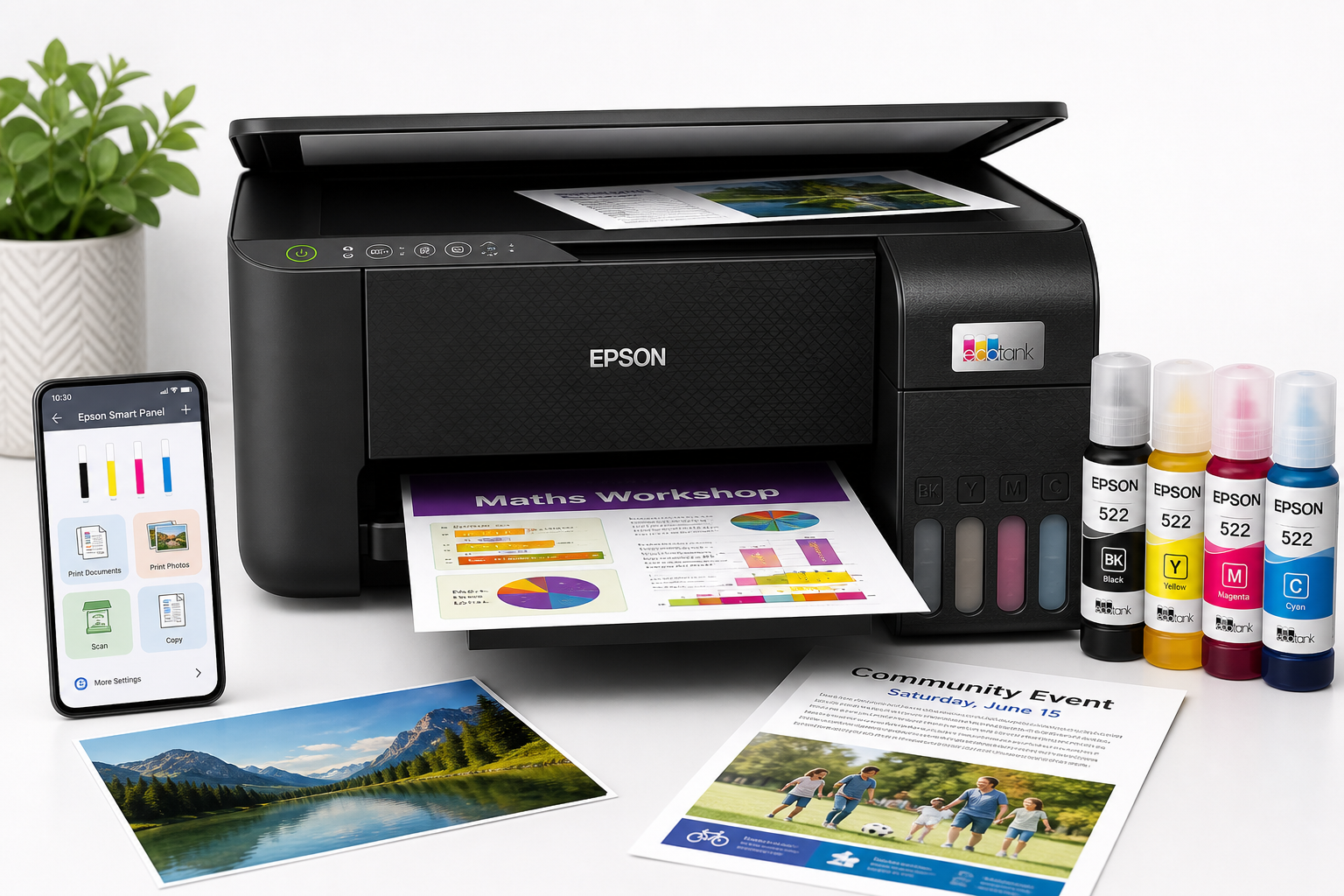
The Epson EcoTank ET-2800 Wireless Color All-in-One Supertank Printer targets families and home users who want to reduce ink costs and avoid disposable cartridges. With built-in print, scan, and copy functions, wireless connectivity, and refillable ink tanks, it is positioned as an entry-level EcoTank model optimized for everyday documents and occasional color prints rather than heavy office workloads or professional photo output.
For buyers comparing it against traditional cartridge inkjets or more expensive EcoTank models, the ET-2800 aims to deliver a balanced mix of low running costs, simple operation, and compact design at around $249.00 on Amazon.
Product overview and key features
The Epson EcoTank ET-2800 is a 3-in-1 inkjet that focuses on essential functions:
- Print, scan, and copy: Standard all-in-one capabilities suitable for homework, forms, tickets, and light office tasks.
- Cartridge-free SuperTank design: Four large, front-mounted ink tanks (Cyan, Magenta, Yellow, and Black) replace conventional cartridges. You refill them with Epson EcoFit bottles designed to minimize spills and mistakes. (epson.com)
- Included ink for long-term use: A full set of ink bottles is included in the box, capable of printing thousands of pages under typical conditions before needing replacement. (epson.com)
- Print speeds: Up to 10 ISO pages per minute (ppm) in black and 5 ppm in color, which is adequate for home use but not intended for high-volume office printing. (mediaserver.goepson.com)
- Print quality and resolution: Maximum print resolution up to 5760 x 1440 optimized dpi, using Epson’s inkjet technology for sharp text and vibrant color prints. (microcenter.com)
- Borderless photo printing: Supports borderless printing on select photo sizes, making it suitable for casual photo prints and school projects.
- Flatbed scanner: A high-resolution flatbed scanner handles documents, photos, and ID cards, with copy functionality handled through the same scanning mechanism. (mediaserver.goepson.com)
- Wireless connectivity: Built-in Wi‑Fi for printing from PCs, laptops, and mobile devices, plus compatibility with the Epson Smart Panel app on iOS and Android for setup and basic controls. (support.epson.com)
- Compact design: A relatively small footprint compared with higher-end EcoTank models, making it practical for desks, counters, or shelves in tight spaces.
As an entry-level EcoTank, the ET-2800 omits some premium features found on higher models, such as automatic duplex (two-sided) printing, Ethernet, and an automatic document feeder (ADF) for scanning multi-page documents. (epson.com)
Performance and user experience
Setup and installation
Setting up the ET-2800 involves loading the included ink bottles into the front tanks, running the initial ink charging process, and connecting the printer to your Wi‑Fi network. The EcoFit bottle design and clear tank windows make the filling process straightforward, and the front-facing tanks allow easy monitoring of ink levels. (epson.com)
Wireless setup can be done via the Epson Smart Panel app or through a more traditional PC-based installer. Users who follow the on-screen prompts typically find setup manageable, though as with many Wi‑Fi printers, network issues or dual-band routers can sometimes complicate the process and may require a second attempt or router adjustments.
Print quality
For everyday home printing, the ET-2800 delivers solid overall quality:
- Text documents: Black text is generally sharp and readable for homework, reports, and basic office documents. It is not as crisp as a laser printer but more than adequate for typical home tasks.
- Color documents and graphics: Color charts, flyers, and school projects look vibrant and detailed enough for casual use. The high maximum resolution helps keep fine details reasonably clear.
- Photos: Borderless photo prints on compatible photo paper look good for home albums and crafts. However, as a four-color dye-based system without specialty photo inks or additional colors, it is not designed for professional-grade photo work or highly color-critical applications. (target.com)
Users focused on hobby or professional photography, or who need the deepest blacks and widest color gamut, may want to consider higher-end EcoTank photo models instead.
Speed and volume
With rated speeds of about 10 ppm in black and 5 ppm in color, the ET-2800 is best suited for low to moderate print volumes. Casual daily use—such as printing a few pages of homework, tickets, recipes, or occasional color documents—is well within its comfort zone. Large multi-hundred-page jobs will feel slow and are better handled by faster office-class printers. (mediaserver.goepson.com)
Because of its SuperTank design, the printer is particularly attractive for households that print regularly but not at industrial volumes: the cost per page is much lower than typical cartridge inkjets, and you can go long stretches without buying ink, which helps justify the upfront cost.
Scanning and copying
The flatbed scanner supports standard letter-size documents and photos. Scan resolution is sufficient for digitizing paperwork, IDs, and casual photo archiving. Copies of text documents are clear and usable; color copies are reasonably accurate for everyday needs.
The major omission is an automatic document feeder (ADF). For multi-page contracts or large stacks of paperwork, you must place each page manually on the glass, which is time-consuming. This is a key distinction between the ET-2800 and more business-oriented all-in-one printers. (epson.com)
Wireless and mobile printing
Once connected to your Wi‑Fi network, the ET-2800 supports printing from Windows, macOS, and mobile devices using standard drivers, Apple AirPrint (where supported by the specific model/region), and Epson’s own mobile apps. (support.epson.com)
The Epson Smart Panel app simplifies tasks like:
- Checking ink levels
- Initiating maintenance cycles (such as nozzle checks and head cleaning)
- Launching quick copies or scans
- Running basic setup and troubleshooting workflows
Some users may experience occasional wireless dropouts or connection issues, especially on congested networks or with mixed 2.4 GHz/5 GHz setups, but in general the printer performs reliably once configured correctly.
Running costs and value
The biggest advantage of the ET-2800 is its low cost per page. By using refillable tanks and high-yield bottles, the printer drastically reduces the ongoing expense of ink compared with low-cost cartridge-based models. Over the lifespan of the printer, households that print regularly are likely to save significantly on consumables.
Given its capabilities and cartridge-free design, the ET-2800’s approximate street price of $249.00 positions it as one of the more affordable entry points into EcoTank ownership, especially for users who prioritize long-term savings and low waste over advanced business features.
Pros and cons
Pros
- Cartridge-free SuperTank system with large, easy-to-refill ink tanks for very low cost per page.
- Includes a full set of ink bottles, capable of printing thousands of pages before replacement.
- All-in-one functionality (print, scan, copy) suitable for most household tasks.
- High-resolution printing up to 5760 x 1440 optimized dpi, delivering sharp documents and good-quality color prints. (microcenter.com)
- Borderless photo printing support for casual photo and craft projects.
- Wireless connectivity and mobile app support through Epson Smart Panel for easier setup and control. (support.epson.com)
- Compact design that fits easily in home offices, bedrooms, or shared family spaces.
- More environmentally friendly than cartridge-based printers due to reduced plastic waste.
Cons
- No automatic duplex (two-sided) printing, so users must manually flip pages for double-sided jobs.
- No automatic document feeder (ADF), making multi-page scanning and copying slower and less convenient. (epson.com)
- Moderate print speeds (up to 10 ppm black, 5 ppm color) that may feel slow for very large print jobs. (mediaserver.goepson.com)
- Not aimed at professional photo printing; color fidelity and depth, while good for everyday use, won’t match higher-end photo-focused printers. (reddit.com)
- Lacks some office-centric features found in pricier EcoTank models, such as Ethernet connectivity, larger paper trays, or more advanced control panels.
Conclusion and recommendation
The Epson EcoTank ET-2800 Wireless Color All-in-One Supertank Printer is a strong fit for households that want to minimize ink costs, avoid cartridge hassles, and handle a broad mix of everyday printing tasks. Its combination of refillable ink tanks, solid document quality, reasonably good color output, and wireless convenience makes it a practical choice for families, students, and home office users with modest volume needs.
It is best suited for:
- Families printing homework, schedules, forms, and occasional photos
- Students needing inexpensive color printing over the long term
- Home offices with light document workloads that value low running costs over speed
It may not be ideal if you regularly handle large multi-page scans, need fast duplex printing, or require professional-level photo output; in those cases, a higher-end EcoTank or office-oriented printer would be a better fit.
For buyers entering the EcoTank ecosystem on a budget, the ET-2800 offers a compelling balance of features and long-term savings at around $249.00, making it an appealing option for cost-conscious home users willing to trade some advanced features for lower ongoing expenses.